No. 1
Meet the station: every kid gets their own channel
CH 1 is Arjun's. CH 3 is Ameya's!
Own channelsEach child gets a channel with their name and picture. On the remote, it just feels like TV.
No. 2
Parents set it all up on their phone
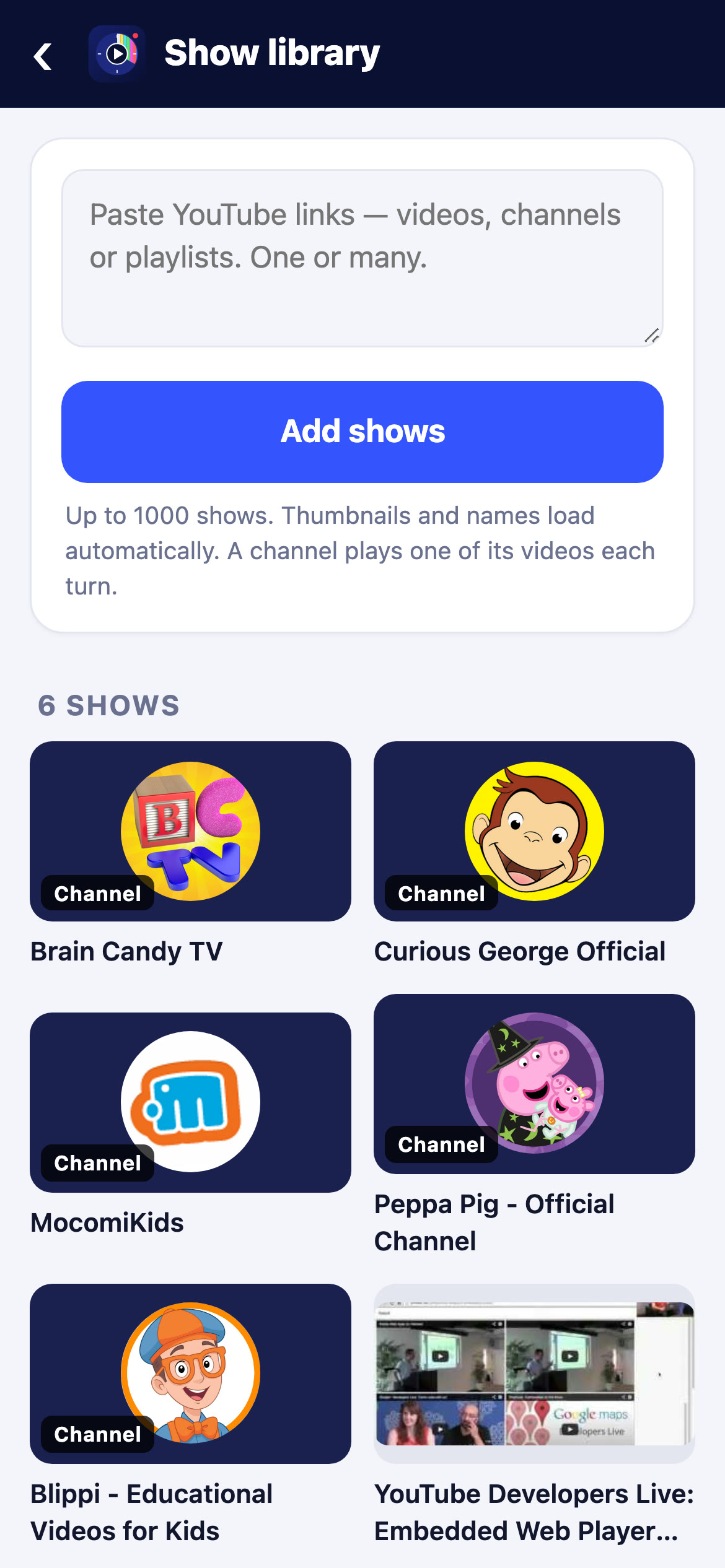
The libraryAdd whole YouTube channels, playlists or single videos, or search for them. Only what you pick ever plays.
No. 3
You choose exactly when it's on
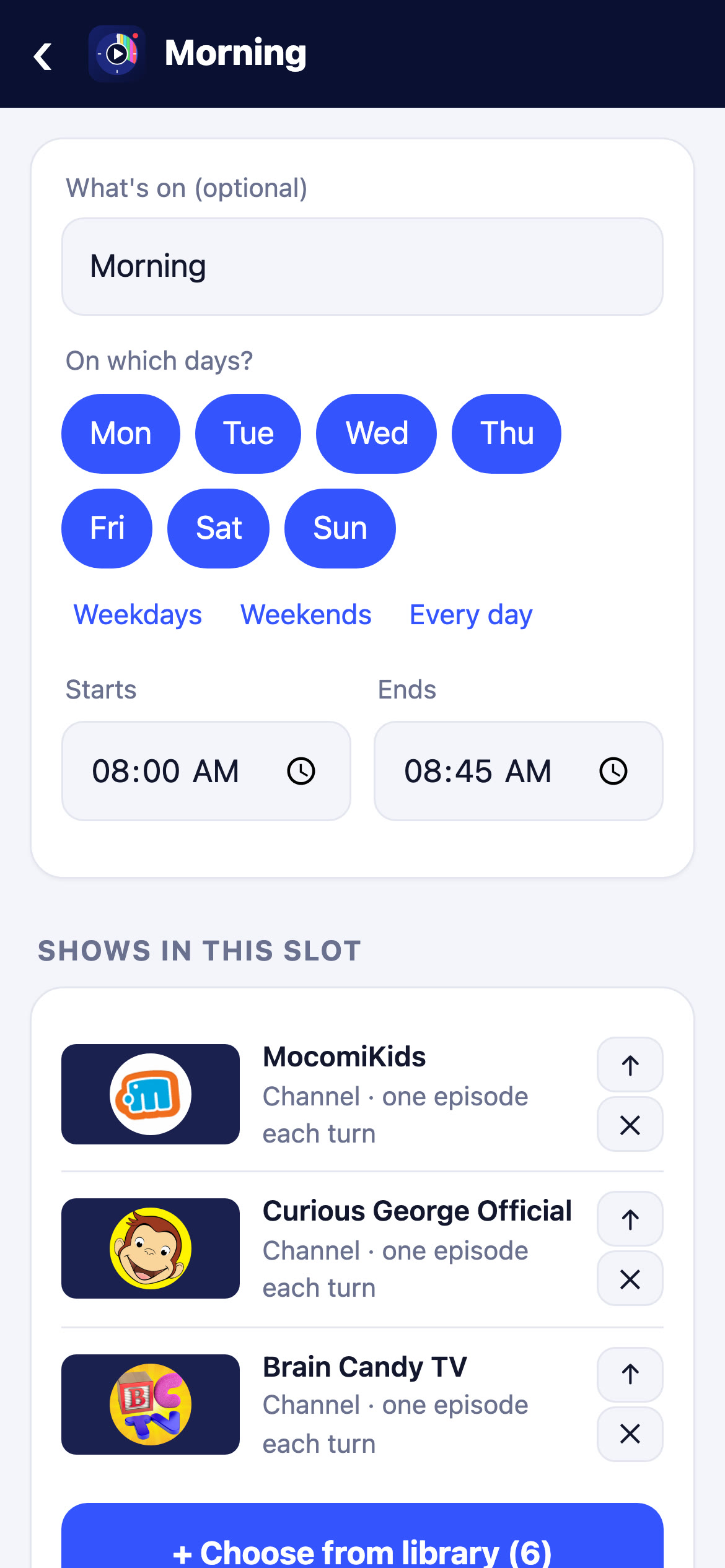
Time slotsWeekdays, weekends or every day; start at 8:00, end at 8:45. Different days, different shows.
No. 4
More than one show? They take turns
Fair rotationPut several shows in one slot and they rotate, one episode each, so every favourite gets a turn.
No. 5
Full episodes. No Shorts
Proper shows onlyChannels play their full-length episodes. No Shorts, no live streams, no rabbit holes.
No. 6
When it's time, it comes on by itself
ON AIR!
On the air, on scheduleAt the slot's start the channel goes on the air with its own ident and a clock in the corner.
No. 7
They can pause. There's no “one more”
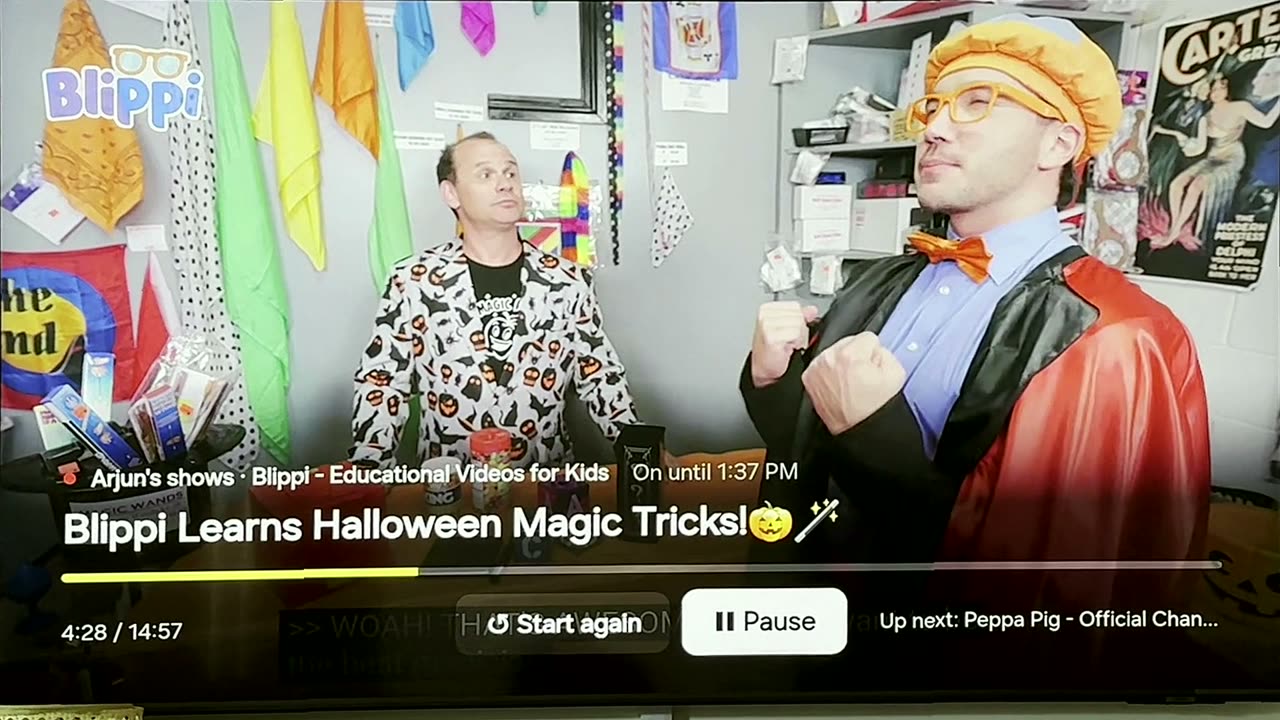 No autoplay rabbit hole here!
Kid-friendly controlsPause and start again with the remote. When the slot ends, it ends, and leaving asks before it exits.
No. 8
And when time's up… the station signs off!
Bye bye, Arjun! See you tomorrow at 3:30!
The sign-offColour bars and a friendly card: who's off the air, what's on next and when. Not mom. Not dad. It's just over, until tomorrow.
No. 9
The Channels Guide, like the old listings
What's on, what's nextA proper TV guide for every channel, so kids can see when their show comes back.
No. 10
Link the TV once, with a short code
Easy pairingThe TV shows a code (or a QR); type it on your phone. Done. No typing with the remote.
No. 11
Kids never see a single setting
Grown-ups onlyParents sign in with a passkey or a one-time email code. The TV only ever shows channels.
No. 12
Share the station with your family
Join their family? You've been invited to help run Arjun's channels.
Family sharingInvite a partner or grandparent. They join only when they tap Join, then manage the same channels.
No. 13
Your family's data stays yours
PRIVATE!
PrivacyWe store only what the station needs: your email, your schedule and the YouTube IDs you pick. Delete your account any time and it all goes.